
Updated 19 October 2026.
WhatsApp's parental controls and Xoul don't compete: they work together. Parent-managed accounts (for under-13s) and parental controls for teens (13 to 17) decide who your child talks to and what they can do in the app. Xoul tells you how they're doing – their mood and their friendships – without showing you their messages. If you want rules, WhatsApp is enough. If you want to know how they are, use Xoul. If they're 13 to 17 and gaining independence, use both.
In short:
They're two official WhatsApp tools, built into the app. A parent-managed account is how a child under 13 can use WhatsApp: the parent decides who can message them and which groups they join. Parental controls for teens are optional, for 13- to 17-year-olds, and are switched on only if both parent and teen agree.
WhatsApp announced parent-managed accounts on 11 March 2026 and parental controls for teens on 30 September 2026. Both are protected by a 6-digit parent PIN that the parent creates and keeps to themselves. How to set them up step by step is in our WhatsApp guide for parents.
It's a welcome step, and the defaults are sensible. On a parent-managed account, for example, only saved contacts can message or call your child, and messages from people they don't know go to a Requests folder for the parent to approve. Parent-managed accounts also have no ads, and no Meta AI, Channels or Status. WhatsApp is also clear on one point: personal messages stay end-to-end encrypted and no one, not even the parent or WhatsApp, can read them.
In Australia, WhatsApp isn't one of the platforms covered by the under-16 social media minimum age, according to eSafety, so under-16s can still use it. For the UK, our guide to WhatsApp and UK social media age rules explains where WhatsApp fits in.
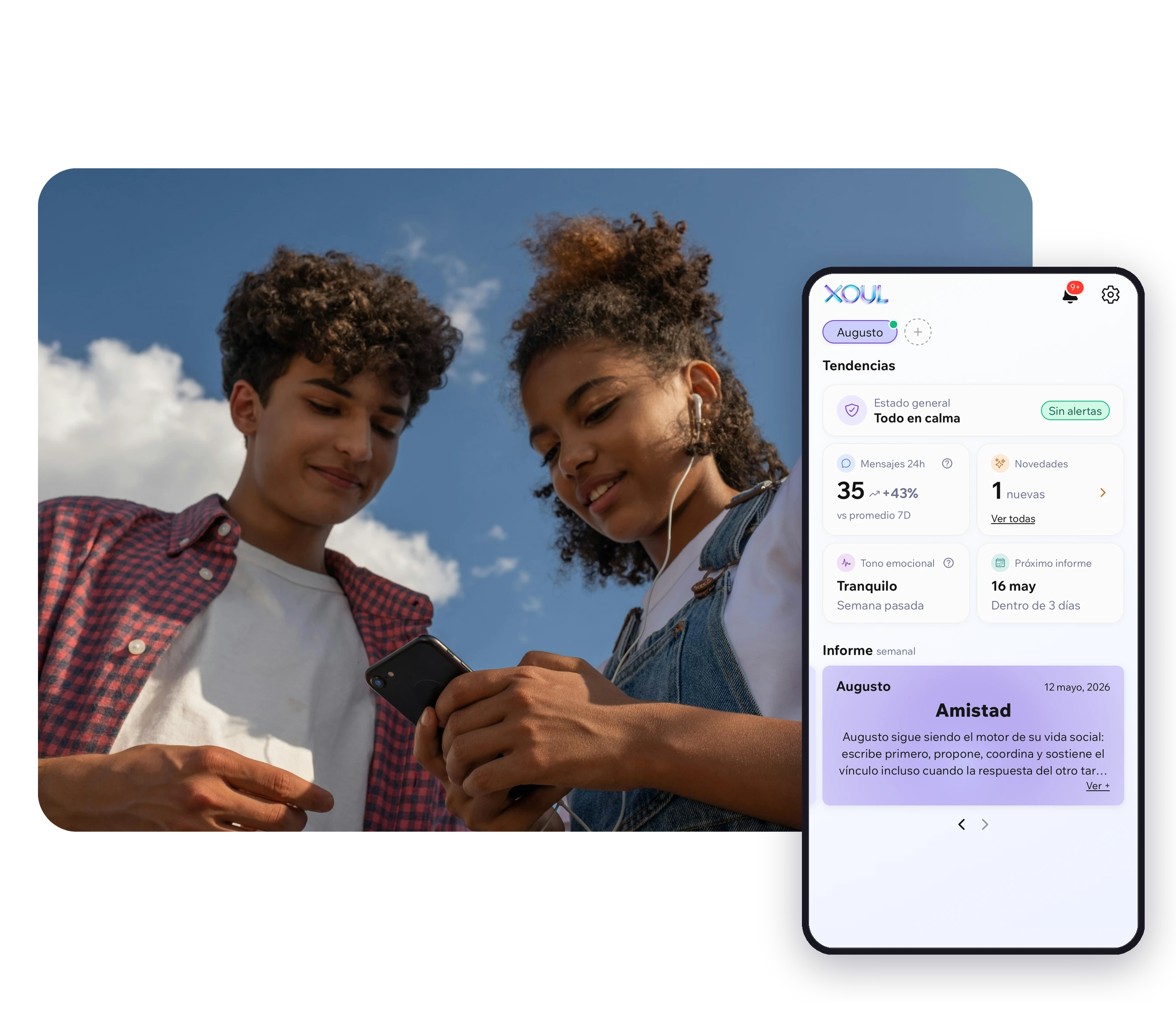
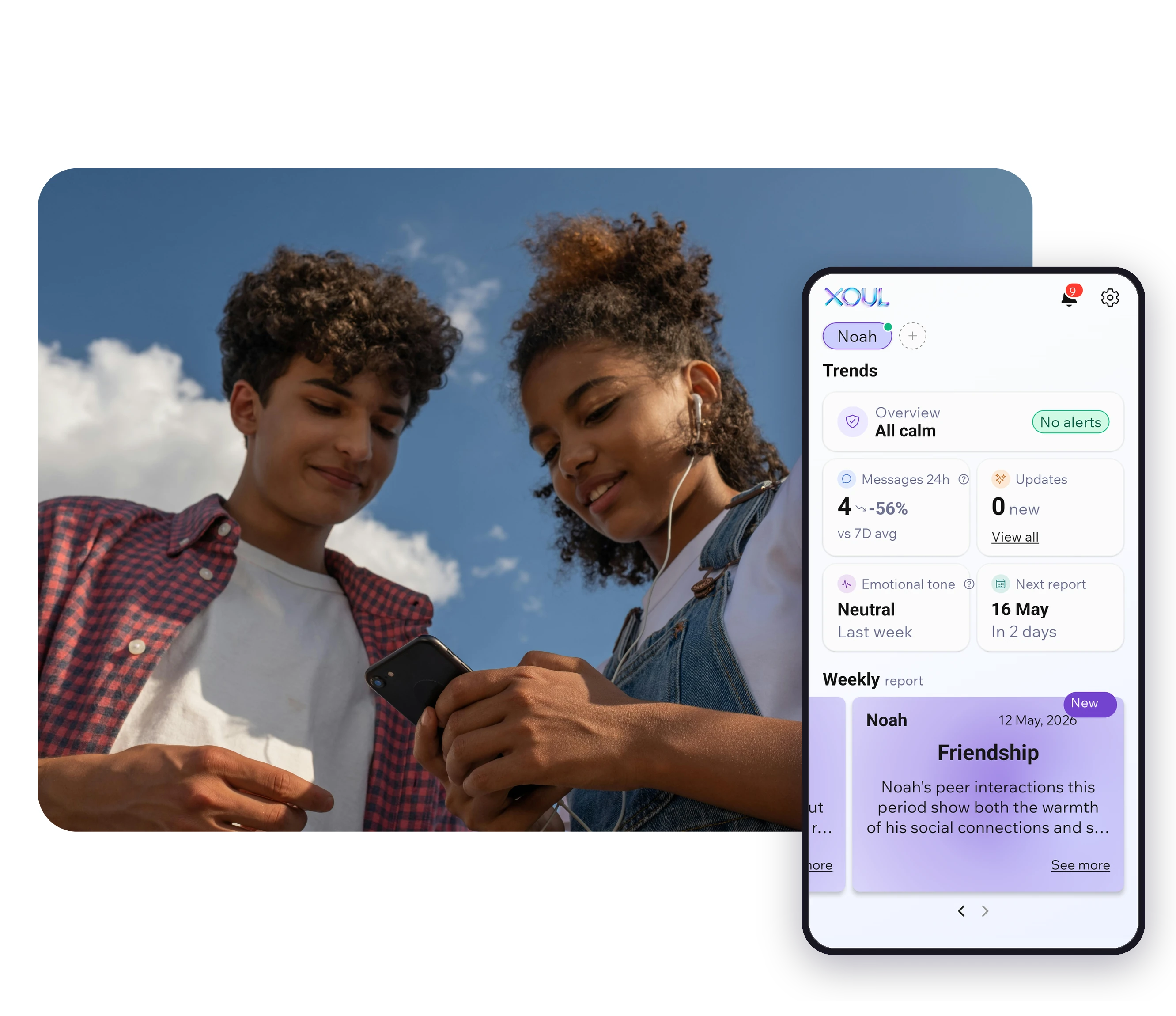
Xoul is a parental support app: it doesn't block or limit anything. It connects to your child's WhatsApp with a QR code, always with their consent, and tells you how they're doing through regular reports and Updates: their mood, their friendships and an idea for starting a conversation. It never shows you their messages.
The difference is the question each one answers. WhatsApp answers "Who are they talking to, and what can they do?" Xoul answers "How are they doing?" A WhatsApp alert tells you they've joined a group. It doesn't tell you whether they're enjoying it or feeling left out.
In Xoul, AI analyses the text and voice notes in conversations (not images), and messages are deleted once the system has analysed them. Information is encrypted in transit and at rest. Xoul's team includes psychology professionals.

WhatsApp's tools control access: who can contact your child, who can add them to groups and which features they can use. The parent gets activity alerts, such as a new contact or a new group. Xoul doesn't control anything; instead, it gives you reports and Updates on their mood and friendships. None of the three lets you read messages.
| Parent-managed account (WhatsApp) | Parental controls for teens (WhatsApp) | Xoul | |
|---|---|---|---|
| Age | Under 13 (or the minimum age in your country) | 13 to 17 | Children and teens with a standard WhatsApp account |
| What it controls | Who can message or call them, which groups they join, profile privacy | Privacy, who can add them to groups, how they use Channels, Status and Meta AI | Nothing: it doesn't block or limit anything |
| What the parent sees | Activity alerts: contact added, blocked or reported, chat requests, groups, profile changes | Activity alerts: new contacts, groups joined or created, profile changes | Reports and Updates on their mood, friendships and what's on their mind |
| Reads messages? | No | No | No |
| Groups | By default, only the parent can add them to groups; they can't create groups; invites need the parent PIN | The parent chooses who can add them; alert if a group grows | What happens in groups can show up in the report, without showing messages |
| Consent | Set up by a parent or guardian (18+) | Both must agree to link accounts | Connects with your child's consent |
| Which phone | Created on the child's phone; the parent scans a QR code from their own WhatsApp | Switched on from the teen's phone; the parent scans a QR code from their own WhatsApp | You install Xoul on your phone, then you scan its QR code together from their WhatsApp (Linked devices) |
| Countries | Gradual rollout; WhatsApp doesn't publish a list | Gradual rollout; WhatsApp doesn't publish a list | iOS and Android app (App Store and Google Play) |
If you can't see the option in WhatsApp, update the app: WhatsApp says both tools are rolling out gradually and may not be available in your region yet.
Groups are where the difference is clearest. WhatsApp looks after the door: on a parent-managed account, by default only the parent can add your child to a group and every invite needs the parent PIN. With parental controls for teens, you choose who can add them and get an alert if a group grows.
But what happens inside the group doesn't show up in those alerts. And a lot happens there: between one in five and one in four of the bullying signals Xoul picks up happen in a group chat, and for every bullying signal there are three social-isolation signals, such as being left out of a new group. WhatsApp's own help pages point out that a group can include people your child doesn't know, and that if you let them join, they'll see those people's messages.
Xoul data: signals detected in the WhatsApp chats of families using Xoul, August–September 2026. n = 805 bullying signals and 2,476 social-isolation signals.
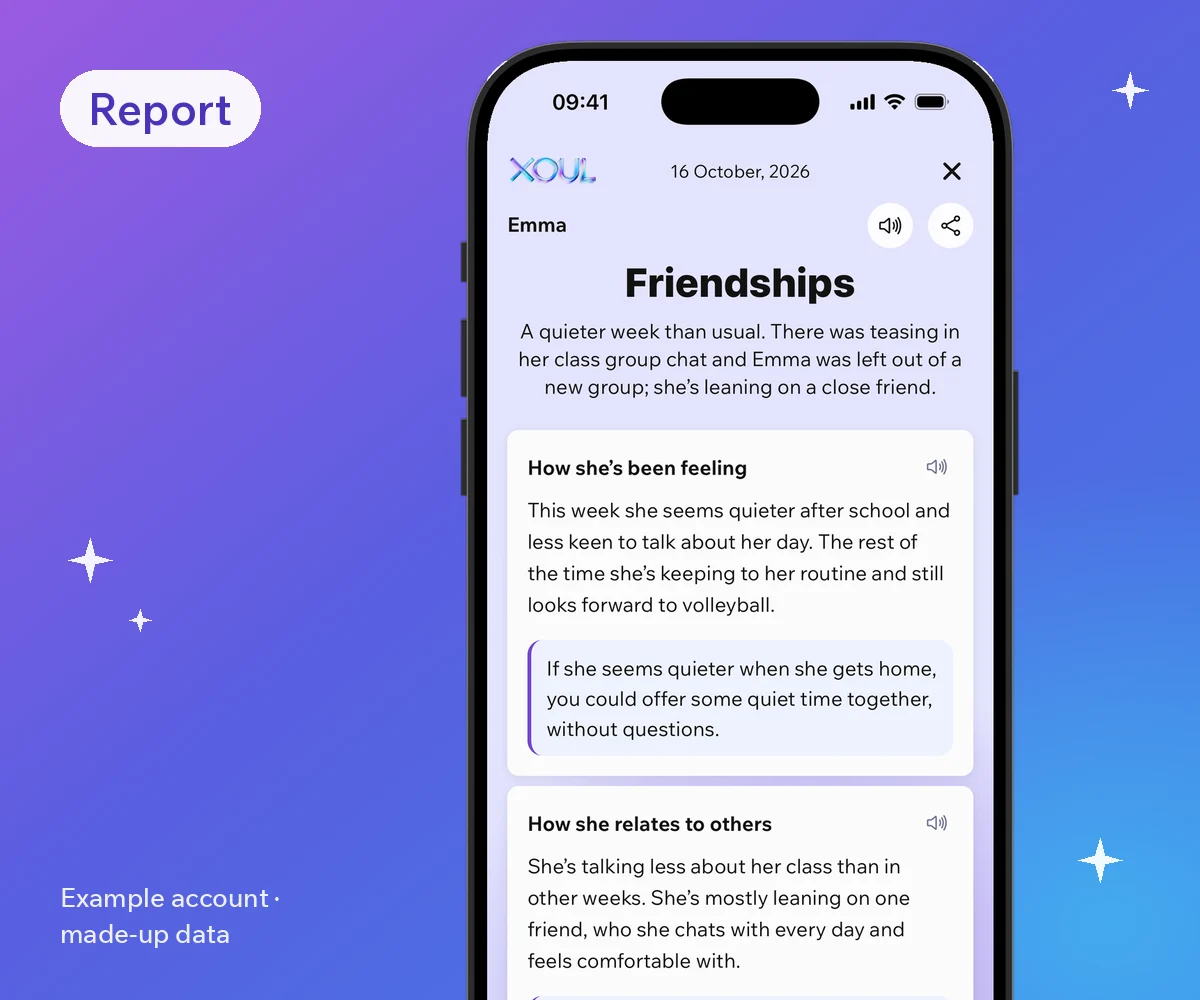
This is what a Xoul report looks like: what came up in the class group chat, and how she's been feeling. Sample account with made-up data.
That's where Xoul can help. If there was teasing in the class group chat, or your child was left out, it can show up in the report or in Updates, with an idea for how to bring it up without asking for their phone. It isn't an instant alert; it's a way of knowing when it's worth asking.

It depends on your child's age and what you're looking for. Under 13, a parent-managed account is the official route. From 13 to 17, parental controls for teens set the rules and Xoul helps you understand how your child is doing. While they're gaining independence, it makes sense to use both.
No tool replaces talking. If you're unsure, start with the one your child understands best and feels most comfortable with.
No. Xoul connects as a WhatsApp linked device, and parent-managed accounts don't support linked devices, so Xoul can't connect to them (they can't use Meta AI, Channels or Status either). For under-13s, the parent-managed account is WhatsApp's official tool, and it already lets you decide who your child talks to. For the other ways of seeing a child's WhatsApp and what each shows, read can you see your child's WhatsApp?.
When your child turns 13 (or the minimum age in your country), WhatsApp will let you know so you can move to a standard account. At that point you can switch on parental controls for teens together and, if it helps, connect Xoul. According to WhatsApp's help pages, parental controls for teens cover privacy and how teens use Channels, Status and Meta AI; linked devices aren't on that list.

Start with a conversation. Then switch on parental controls for teens on your child's phone, choose the settings together and connect Xoul through Linked devices. Both tools need your child's agreement, and neither shows you their messages. These six steps take you through it:
What helps most is making sure the tools don't feel like a punishment. Tell your child what each one does and doesn't do, choose the settings together, and make it clear that telling you about a problem won't cost them their phone. A few lines to get you started:
If you use Xoul, the conversation idea in each report can be a good way in. If someone they don't know messages them, read what to do if a stranger messages your child. And if you're wondering whether it's OK to look at their WhatsApp, read is it legal to check your child's WhatsApp?.
No. WhatsApp says personal messages and calls stay end-to-end encrypted and that no one outside the chat, not even the parent, can read them. You get activity alerts instead, such as a new contact or a new group.
Yes. The controls are set up on their phone, you both have to agree to link your accounts, and at the end they tap OK. It's the same with Xoul: it connects with their consent, and they can disconnect it from Linked devices.
WhatsApp is rolling them out gradually and doesn't publish a list of countries. Update the app and look for Settings > Parental controls (for teens) or, when installing WhatsApp on your child's phone, More options > Create a parent-managed account.
At 13 (or the minimum age in your country), WhatsApp lets you know so the parent-managed account can move to a standard account, and its controls end. Parental controls for teens end at 18. Xoul doesn't depend on those ages: it stays connected for as long as it's in Linked devices.
No. Xoul doesn't block or limit anything. It's a parental support app: it tells you how your child is doing, so you know when to check in. To see how it compares with other tools, read Xoul vs Bark vs Qustodio.
WhatsApp's controls set the boundaries: who your child talks to and what they can do. Xoul helps you know how your child is doing without reading their messages. Together, they leave more room for what matters most: your child knowing they can come to you.
Your first Xoul report is free and arrives in 10 minutes. Download Xoul and connect it together with your child.
XOUL gives you private reports with risks, emotions and important moments, always from a respectful approach.